Quick Start
Welcome to the Galaxea developer community and thank you for becoming a Galaxea A1Z user. This guide helps you understand the unique capabilities and performance of Galaxea A1Z, quickly learn basic operation, and begin building applications with this intelligent robotic arm.
Product Introduction
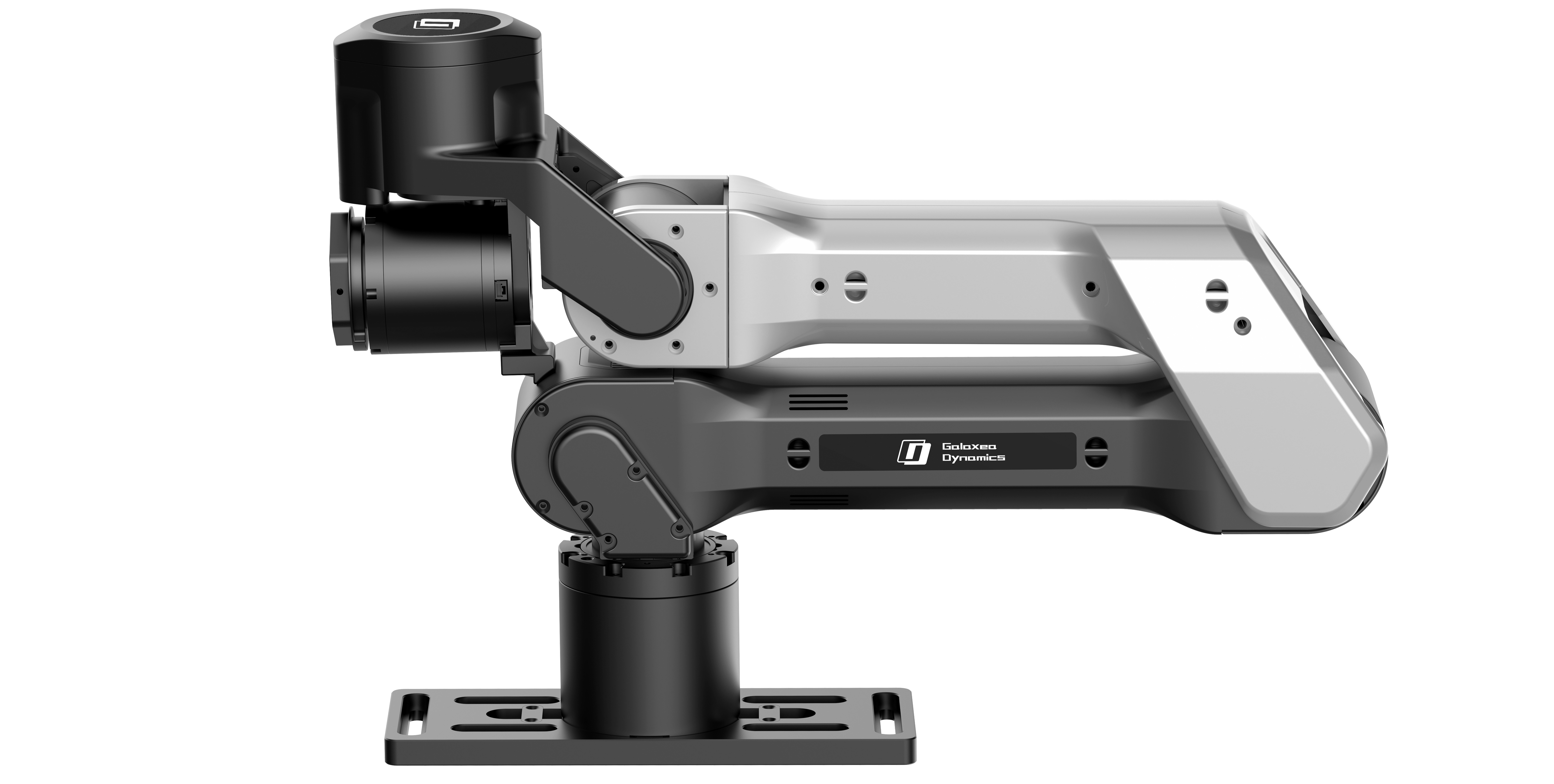
Galaxea A1Z is an advanced robotic arm that combines high precision with intelligent control. It is designed for a wide range of industrial and innovative applications. With flexible operating modes, strong payload capacity, and high programming compatibility, Galaxea A1Z can support precision assembly on industrial production lines, automated operation in research labs, and creative practice in education.
Safety Instructions
Before using Galaxea A1Z, carefully read the following safety instructions to protect yourself and nearby personnel, and to ensure normal operation and long service life of the equipment.
Operational Safety
- Qualification requirements: Operators must receive professional training, understand the operating procedures, safety rules, and emergency handling methods of the robotic arm, and be able to operate the equipment correctly and safely.
- Operating environment: Provide a suitable workspace for the robotic arm. Ensure there are no flammable or explosive materials, strong magnetic interference sources, or other potential hazards nearby. Keep the environment clean and dry to avoid equipment faults or safety incidents caused by environmental issues.
- Operating rules: Operate strictly according to the steps and methods specified in the user manual. Do not perform unauthorized actions while the equipment is running, such as touching moving parts or changing critical parameters without permission, as this may damage the equipment or injure personnel.
Equipment Safety
- Power safety: Use a power adapter that meets the equipment requirements. Ensure the supply voltage remains stable within the specified range (24V) to avoid equipment damage caused by voltage fluctuation. Regularly inspect the power cable and related connections to ensure they are intact and firmly connected.
- Emergency stop: Be familiar with the position and usage of the emergency stop button. In an emergency, such as loss of control or collision risk, press the emergency stop button immediately to cut power and ensure safety.
Power On
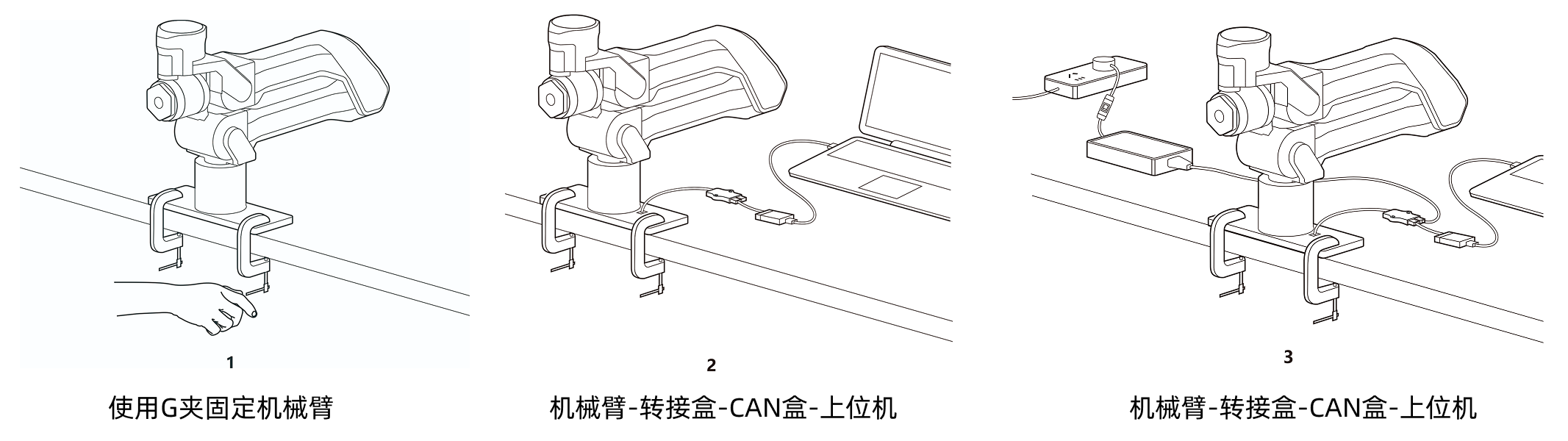 A1Z wiring diagram
Connect the cables according to the diagram. For detailed steps, see the A1Z Unboxing Guide. Then turn on the switch on the circuit switch.
After power is connected, the robotic arm performs an initialization self-check. Please wait until the self-check is complete and the device enters standby mode. You can then begin operation and configuration.
Power Off
Turn off the switch on the circuit switch.
Note that the joint motors of Galaxea A1Z do not have brakes. Cutting power may cause the robotic arm to drop suddenly. Always ensure the surrounding environment is safe during operation to prevent injury or equipment damage caused by the arm dropping.
Get Help
If you encounter any issue while using Galaxea A1Z and need immediate assistance, contact us at support@galaxea-dynamics.com. Our technical support team will help answer your questions and resolve technical issues.